An agent that does not stop is dangerous.
Even if it acts correctly, it can:
- Spend resources endlessly
- Get stuck in a loop
- Or move toward a goal that is no longer relevant
Because its job is to complete work.
Not decide when enough is enough.
Why an agent does not stop on its own
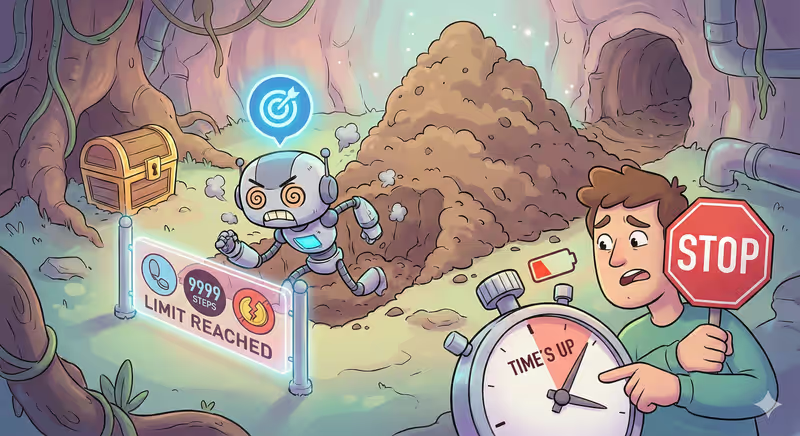
An agent sees only the goal.
It does not feel fatigue.
It does not see the cost of its actions.
It does not understand when "enough" is reached.
If the task is not complete, it will keep trying.
One more step.
One more tool.
One more request.
Even if it:
- Does not help
- Costs money
- Or repeats the same thing again
When this becomes a problem
Imagine: an agent is trying to fetch data from an API.
The API does not respond.
The agent tries again.
And again.
And again.
100 requests.
1000 requests.
Each one costs money.
None of them gives a result.
Because from its perspective, the work is not finished yet.
And the best action is to try one more time.
Stop Conditions
| Condition | What it limits |
|---|---|
| Goal reached | Task completed |
| Step limit | Number of actions |
| Time limit | Execution duration |
| Budget | Tokens or money |
| No progress | Result quality |
To prevent an agent from running endlessly, it gets stop conditions.
These are rules that define:
- When to continue working
- And when to finish the task
The agent stops if:
- Goal is reached — there is a result
- Step limit is exhausted — maximum number of actions is done
- Time limit is exhausted — task is not completed before deadline
- Budget is spent — token, money, or API-call limit is reached
- No progress — result is not improving
- All options lead to error — there is nowhere left to move forward
So even if the task is not completed, the agent must stop working.
Who sets stop conditions
An agent does not decide on its own when to stop.
It only executes the task.
Stop conditions are set by a human or a system before execution starts.
They define:
- How many steps the agent can take
- How much time it can spend
- Or what budget it can use
The agent works within these limits.
What happens after stopping
When one condition is met, the agent stops working.
Even if the task is still not completed.
It returns with whatever result is available.
And explains:
- Why it stopped
- And at which stage
In code this looks like
Below is the same principle in a simple format:
after each step, the system checks whether it is time to stop.
1) We have simple agent actions
def try_fetch_data():
    return {"ok": False, "reason": "api_timeout"}


def analyze_data():
    return {"ok": True, "report": "done"}
2) Define stop conditions
MAX_STEPS = 5
MAX_ERRORS = 3
GOAL_REACHED = False
3) The agent runs steps in a loop
step = 0
errors = 0
last_result = None
stop_reason = None

while True:
    step += 1
    last_result = try_fetch_data()

    if last_result["ok"]:
        GOAL_REACHED = True
4) After each step, check stop conditions
    if not last_result["ok"]:
        errors += 1

    if GOAL_REACHED:
        stop_reason = "goal_reached"
        break

    if step >= MAX_STEPS:
        stop_reason = "step_limit"
        break

    if errors >= MAX_ERRORS:
        stop_reason = "too_many_errors"
        break
5) Return a controlled finish
result = {
    "stop_reason": stop_reason,
    "steps": step,
    "errors": errors,
    "last_result": last_result,
}
In this example, the agent will stop not "when it wants", but when one condition is triggered.
Full implementation example with connected LLM
Analogy from everyday life
Imagine setting a timer on an oven.
The dish may still be not ready, but when time is up, the oven turns off.
Because otherwise it would keep running.
And it could:
- Overheat
- Waste extra electricity
- Or ruin the dish
This is exactly how stop conditions limit an agent’s work.
In short
An agent tries to complete the task.
It does not know when enough is enough.
So it gets stop conditions:
- Step limit
- Time limit
- Budget
- Or no progress
When one condition is met, the agent stops working.
FAQ
Q: Can an agent decide by itself when to stop?
A: No. The agent does not decide when enough is enough — it works until the goal is reached or a stop condition is met.
Q: What are stop conditions?
A: These are rules that define when the agent must stop working, for example after reaching a time or step limit.
Q: Who sets stop conditions?
A: A human or a system before task execution starts.
What’s next
Now you know when an agent should stop.
But to work in a real environment, it needs more:
- Memory — to avoid starting from zero
- Action limits — to avoid doing too much
- Stop conditions — to avoid running endlessly
- Execution control — to know what is happening
How do you turn a prototype into a system you can trust?