Until this point, we talked about agents as a system that:
- has a goal
- tries to act
- checks the result
- and tries again if it fails
But this still sounds like theory.
So let's write the simplest agent that actually works.
No frameworks. No memory. No complex logic.
Just a loop.
Imagine an agent like a child
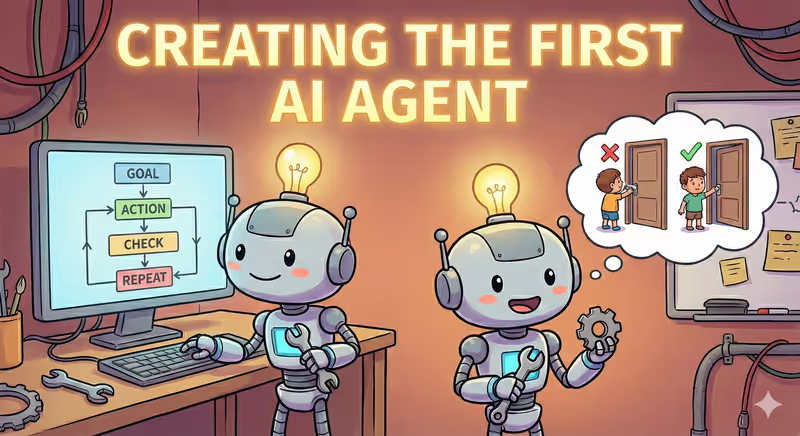
A child wants to open a door.
They:
- try the handle -> it does not open
- try harder -> still does not work
- try one more time -> it opened!
An agent works the same way. It does not "think" in the human sense.
It simply:
-> Tries
-> Looks at what happened
-> Changes the action
-> Tries again
Task for the agent
Let's give the agent a simple task:
Write a number greater than 10
But let's make it tricky. Instead of a model, we start with random to see the mechanics without extra noise.
Sometimes the agent gets 3, sometimes 7, sometimes 15. It must tell the difference and either stop or try again.
Code: agent without LLM
import random

goal = 10
max_steps = 5

for step in range(max_steps):
    print(f"\n🤖 Step {step + 1}: Agent is trying...")

    # "Model" generates an answer
    number = random.randint(1, 20)
    print(f"💬 Generated: {number}")

    if number > goal:
        print(f"✅ Goal reached! {number} > {goal}")
        break
    else:
        print(f"❌ Not enough. {number} ≤ {goal}. Trying again...")
else:
    print("\n⚠️ Max steps reached without success")
Run it a few times. Watch how the agent decides on its own whether to continue or stop.
What is happening here
- The agent gets a goal - find a number > 10
- Tries - "generates" an answer
- Checks - is the goal reached?
- If not - tries again (up to 5 times)
- If yes - stops
That is the whole loop:
Model vs Agent
| Model | Agent | |
|---|---|---|
| Generates an answer | ✅ | ❌ |
| Checks the result | ❌ | ✅ |
| Decides what to do next | ❌ | ✅ |
The model is responsible for Act.
The agent is responsible for Check -> Retry -> Stop.
Why is this already an agent, not just a function?
A function would make one attempt and stop.
An agent:
- has a goal
- checks the result
- can act again without your participation
You gave the task, and it works on its own. Even when it makes mistakes.
What if we connect a real LLM?
Replacing random.randint() with an AI API call is one change.
The agent loop stays exactly the same.
This is the core point: an agent is not about a "smart model". It is about structure: goal -> action -> check -> repeat.
In short
You just learned the basic agent loop:
- Goal - find a number > 10
- Act - generates an answer
- Check - is the goal reached?
- Retry - if needed
- Stop - when the goal is reached or steps are exhausted
This is the foundation. Everything else is a complication of this pattern.
FAQ
Q: Why is max_steps = 5 used here instead of an infinite loop?
A: An agent that does not stop by itself is dangerous. It can spend money on API calls, get stuck in a loop, or loop forever if the goal is unreachable. max_steps is a safety guard.
Q: Why did we start with random instead of using an LLM right away?
A: To see the agent mechanics without extra noise. The model is only one detail. The loop itself is more important.
Q: Why does the agent not know that the number is "bad" before checking?
A: The model just generates. It does not know the goal. The goal is the agent's responsibility, not the model's.
What is next
Did you notice max_steps = 5?
This is not accidental. An agent that does not stop by itself can:
- run forever
- spend money on API calls
- get stuck in a loop if the goal is unreachable
That is why every agent must have boundaries.
-> Read next: When an agent needs boundaries
Want to run this yourself?
If you want to see a full implementation with a real LLM, split into modules and ready to run, it is here: